

A self-hosted hosting panel for your own server
Zelie is a hosting panel you install on your own Linux VPS. It runs web apps from GitHub, the databases they use and game servers, and it looks after HTTPS, backups and updates for all of them. It is one Go binary. This page also says what a classic web hosting panel does that Zelie does not.
Updated November 2026
What it runs
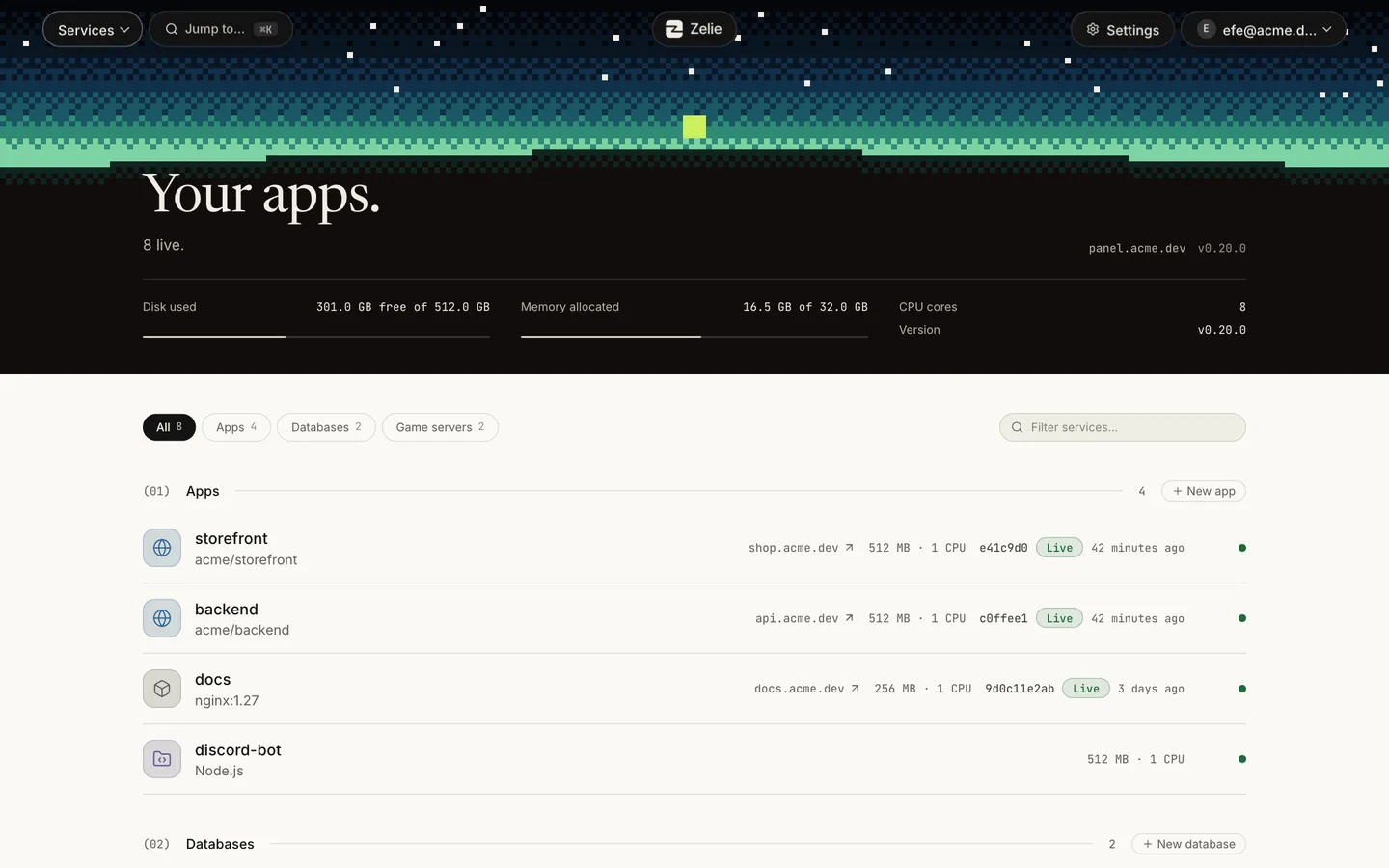
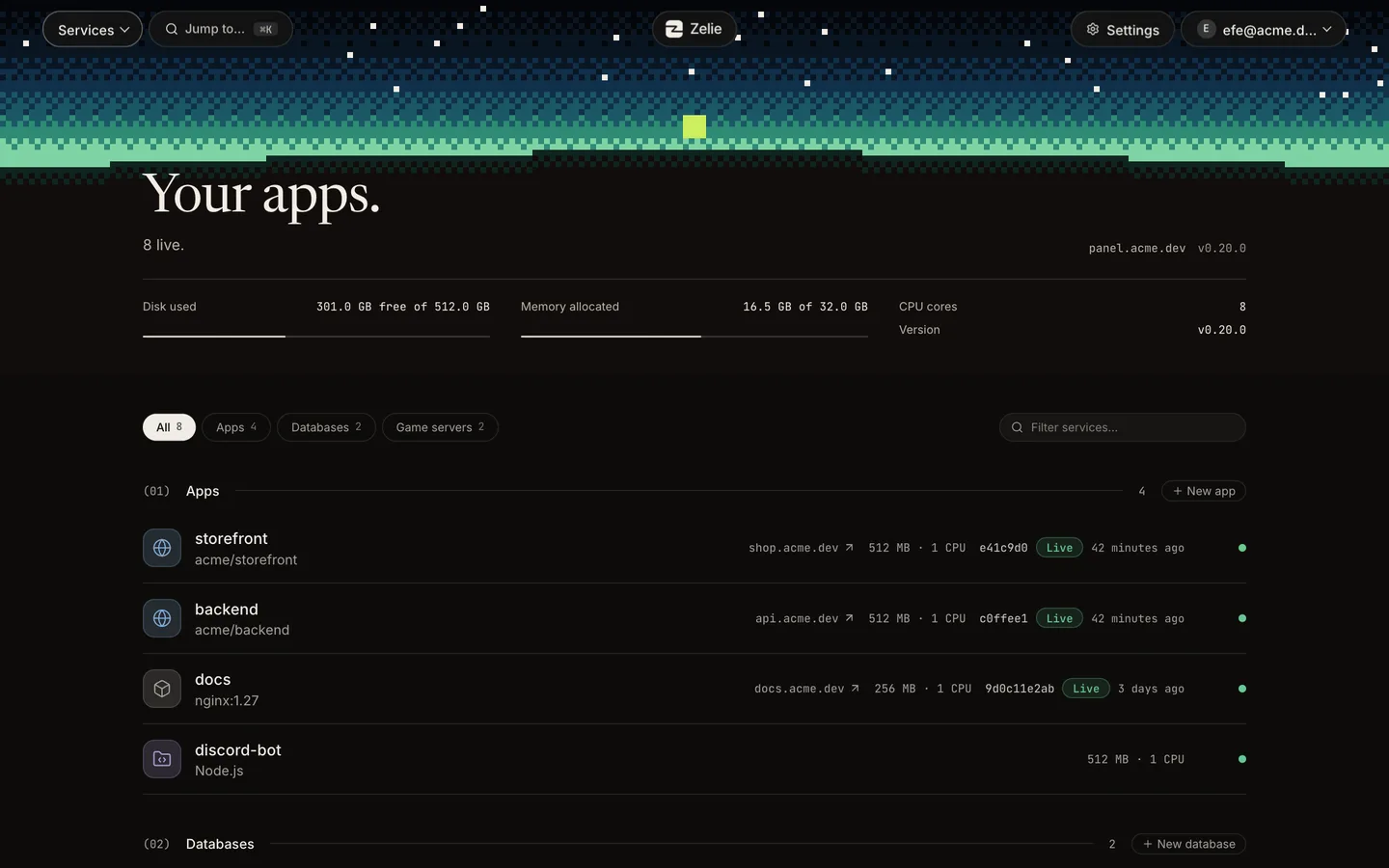
Three kinds of service, each in its own container with its own memory and CPU limits, under one login.
- Web apps
- From a GitHub repository, a public container image or your own files. Files apps run Node.js, Python, Bun, Deno or Java with no build step.
- Databases
- PostgreSQL 18 and 17, MariaDB 11.8 and 10.11, and Redis 8. None gets a public port, and a linked app gets
DATABASE_URLorREDIS_URL. - Game servers
- From Pterodactyl and Pelican eggs: Minecraft, Rust, Valheim, Palworld, Counter-Strike 2 and more, or any other egg by its link.
Each kind has its own page: deploy from GitHub, database hosting and the game server panel.
From a push to a live site
- 1Build. With the repository’s Dockerfile, or with Railpack when there is none.
- 2Test. A Node project’s tests run in the new image with no network. A failing test keeps the old version.
- 3Health check. An app with a domain must answer HTTP with a status below 500.
- 4Live. Traffic moves over, and the commit on GitHub shows the result.
An app with a domain and no volumes starts its new version beside the old one, so the switch has no downtime. Any other app stops the old version first, and starts it again if the new one fails. The last five versions keep their image, so a rollback takes a second or two.
What it looks after
- HTTPS
- With a domain install, Let’s Encrypt certificates for the panel and each app. Behind a Cloudflare Tunnel, Cloudflare handles HTTPS and no port opens on the server.
- Backups
- Databases every night, apps and game servers on a schedule. Compressed and encrypted on the server, with copies in any S3-compatible storage.
- Updates
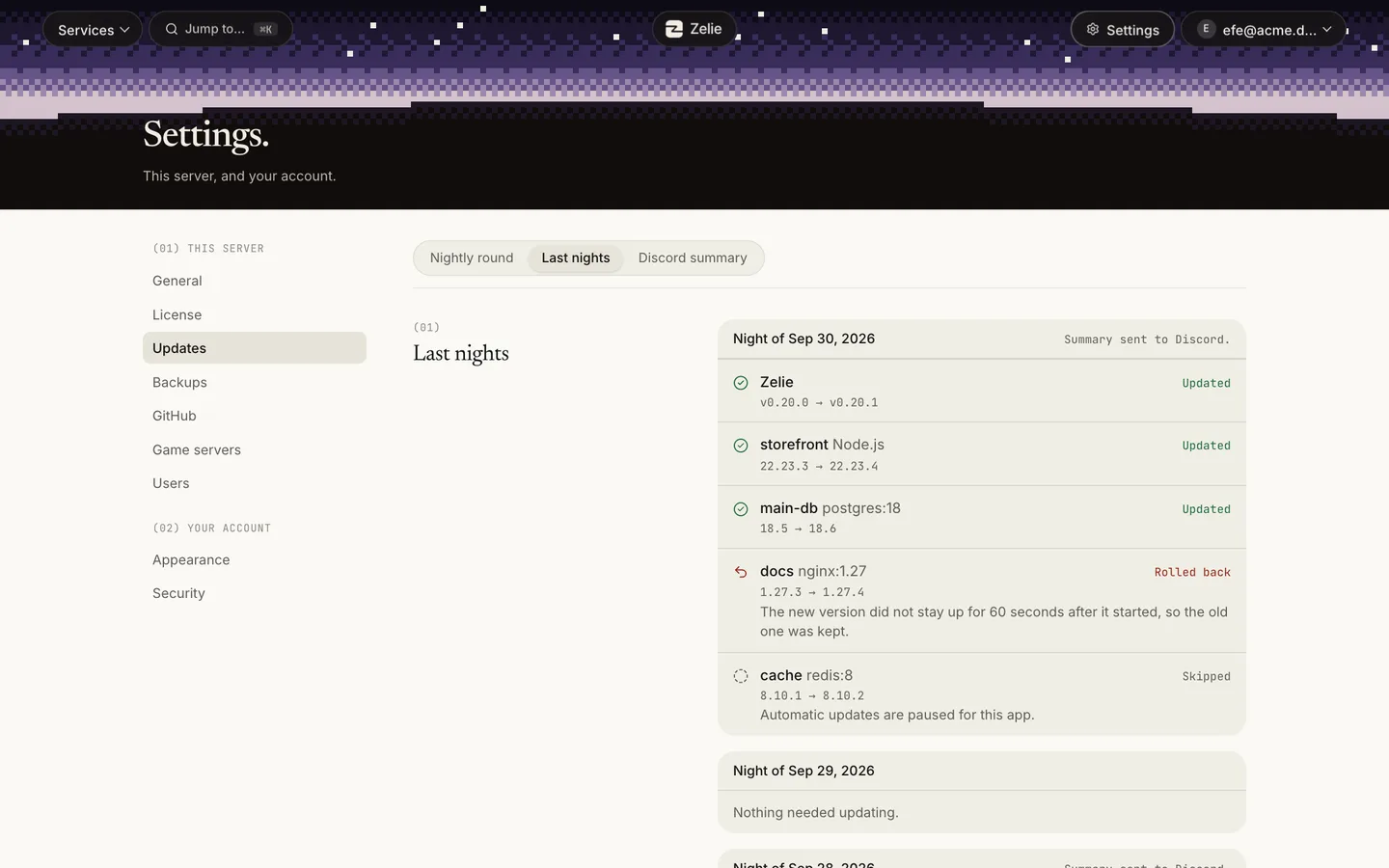
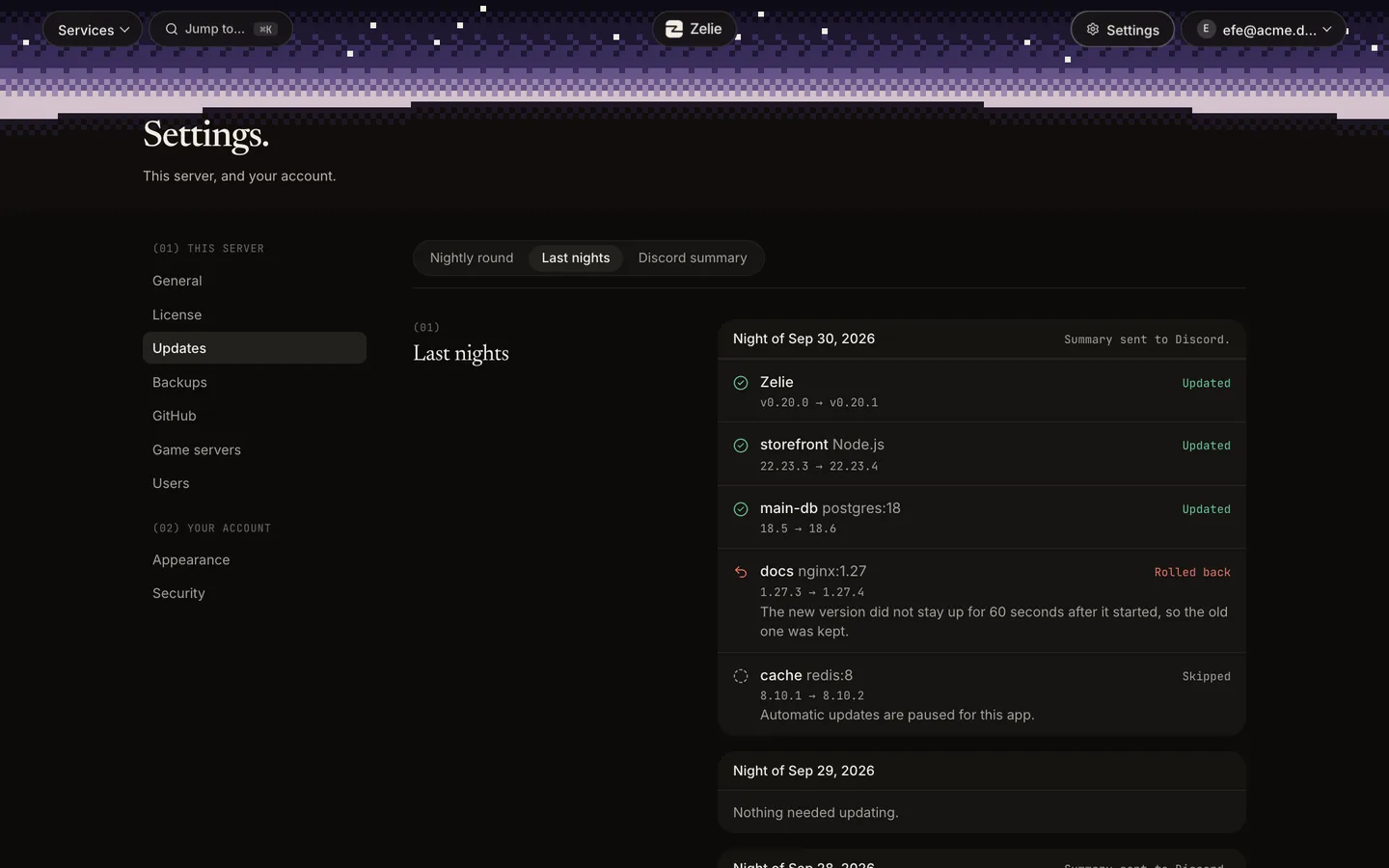
- Zelie updates itself with one click while everything else keeps running. The update round, at a time you set, installs patch releases, Node security releases and image fixes. Major versions wait for you.
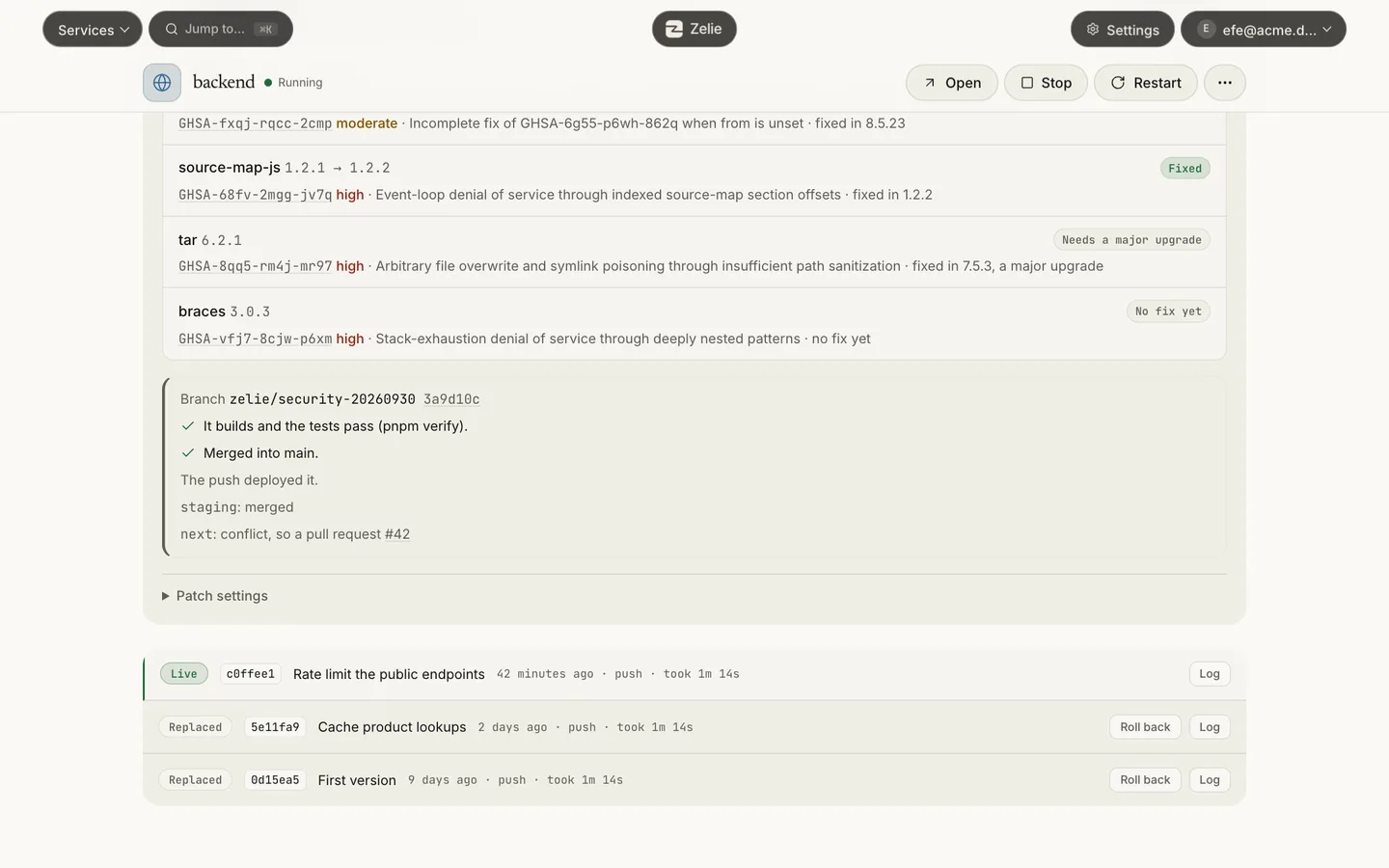
- Vulnerable packages
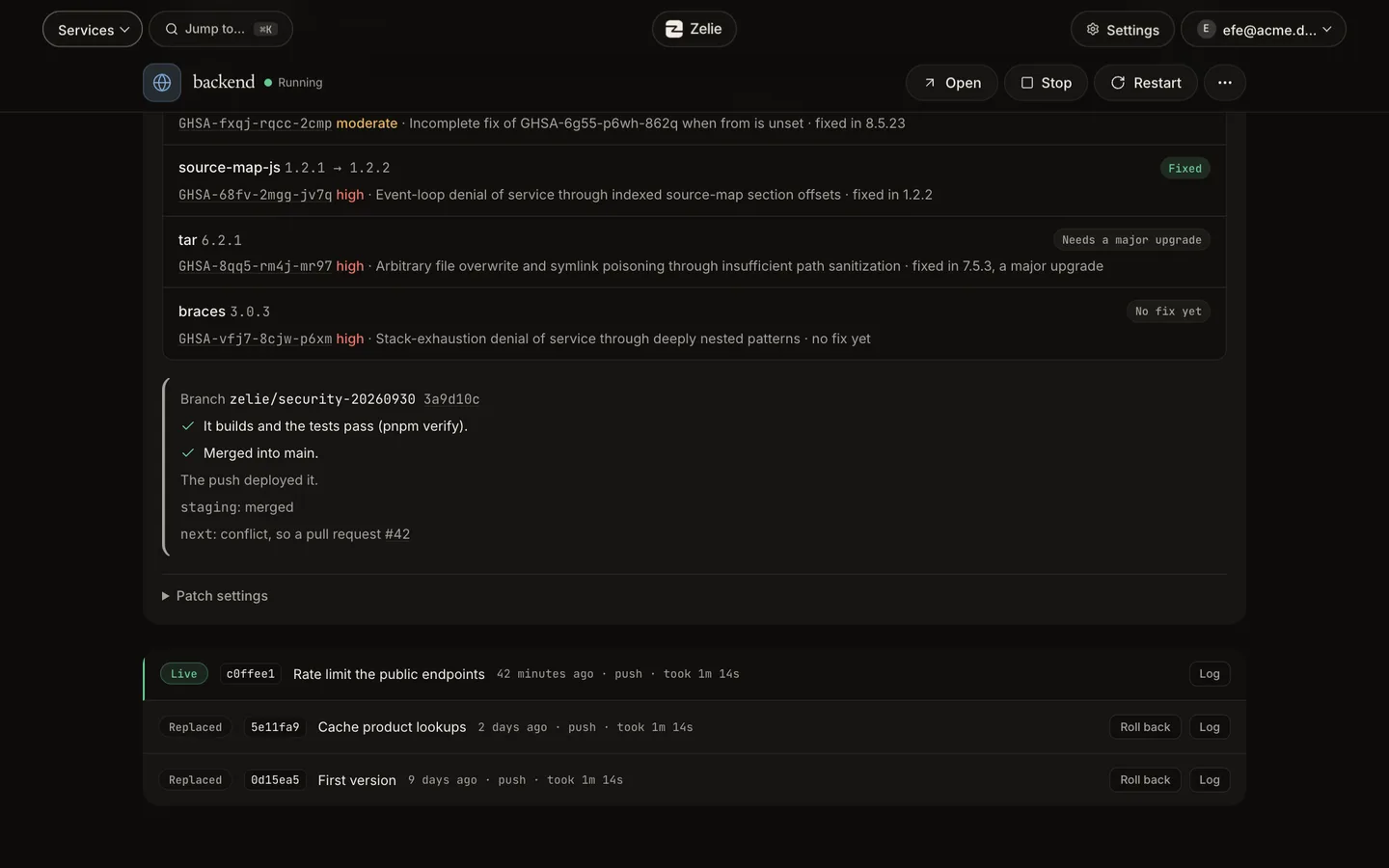
- For npm, pnpm and Yarn 1 projects, a fix found in OSV is tested on a branch of its own. It merges if the build and tests pass, or becomes a pull request.
- Logs and metrics
- Live logs, and requests, server errors, memory, CPU and traffic, a reading a minute, kept for a day.
- Other people
- Invite someone with a link and choose what they may do on each service. Settings shows what each account did.
Closed by default
- The proxy, the panel and the SFTP server run as their own unprivileged users. The part that runs as root has no network port.
- Every app and game server has its own network. Databases never get a public port.
- Containers use user namespaces, so root inside one is an unprivileged user on the host.
- The parts that face the internet are Zelie itself, so Zelie’s patch releases cover them, and the update round installs those.
- Every release is checked with govulncheck, and a daily job watches Go, containerd, runc and BuildKit for security releases.
How Zelie is built has the details.
What Zelie is not
A classic web hosting panel does a few jobs Zelie leaves to others. Better to know before you install it.
- No mail server. Zelie has no mailboxes and does not send or receive mail for your domains. Use a mail provider for that.
- No shared hosting accounts. There are no cPanel-style customer accounts with their own FTP login and PHP version. A PHP site can still run as an app, from its own Dockerfile or a container image.
- One server per panel. Zelie manages the machine it is installed on. Several servers from one panel are planned for Business.
- No Docker Compose. An app is one image, one Dockerfile or one folder of files. A project with several services becomes one app per service.
Next to other panels
Coolify runs apps and databases. Pterodactyl and Pelican run game servers. Zelie runs both kinds on one server.
Install and upkeep
Install
- Zelie
- YesOne command, a few minutes
- Pterodactyl
- PartlyA long manual guide
- Pelican
- PartlyA manual guide
- Coolify
- YesOne command
No PHP stack to run
- Zelie
- YesOne Go binary
- Pterodactyl
- NoPHP, Laravel, a web server, MySQL and Redis
- Pelican
- NoPHP, Laravel and a web server
- Coolify
- NoPHP and Laravel, with PostgreSQL and Redis
Runs without Docker
- Zelie
- YesIts own containerd
- Pterodactyl
- NoWings needs Docker
- Pelican
- NoWings needs Docker
- Coolify
- NoBuilt on Docker
Updates from the panel
- Zelie
- YesOne click, rolls back by itself if it fails
- Pterodactyl
- NoBy hand, with commands
- Pelican
- PartlyThe panel in one click, since 1.0.0-rc.3 (source)
- Coolify
- YesOne click or automatic
Game servers
Pterodactyl and Pelican eggs
- Zelie
- Yes14 games ready, any other by its link
- Pterodactyl
- Yes
- Pelican
- Yes
- Coolify
- No
Console, files, SFTP, schedules
- Zelie
- Yes
- Pterodactyl
- Yes
- Pelican
- Yes
- Coolify
- No
Players and RCON tools
- Zelie
- YesRust and Minecraft, a player list for some Steam games
- Pterodactyl
- NoOnly paid third-party addons
- Pelican
- NoOnly through community plugins
- Coolify
- No
Safe passwords by default
- Zelie
- YesRCON and admin passwords get a random value
- Pterodactyl
- PartlyAs the egg sets them
- Pelican
- PartlyAs the egg sets them
- Coolify
- No
Steam updates
- Zelie
- YesChecks each hour, updates when nobody plays
- Pterodactyl
- PartlyOn start, if the egg does it
- Pelican
- PartlyOn start, if the egg does it
- Coolify
- No
A game server without a public port
Minecraft proxy (Velocity) network, set up by the panel
- Zelie
- YesForwarding and its secret, written at each start
- Pterodactyl
- NoBungeeCord steps by hand
- Pelican
- NoNot built in
- Coolify
- No
Says why a server crashed
Clone a server with its files and settings
- Zelie
- YesA new, stopped server with new ports
- Pterodactyl
- NoOnly moves a server between nodes
- Pelican
- NoOnly a third-party plugin, which copies no files
- Coolify
- YesApps, with settings, variables and storage; volume data optional (source)
Apps and databases
Deploy from GitHub on push
- Zelie
- Yes
- Pterodactyl
- No
- Pelican
- No
- Coolify
- Yes
Deploys without downtime, one-click rollback
- Zelie
- YesLast five versions kept
- Pterodactyl
- No
- Pelican
- No
- Coolify
- Yes
Automatic HTTPS for apps
- Zelie
- Yes
- Pterodactyl
- No
- Pelican
- No
- Coolify
- Yes
Databases
- Zelie
- YesPostgreSQL, MariaDB, Redis, with a data browser, linkable to game servers too
- Pterodactyl
- PartlyMySQL for game servers
- Pelican
- PartlyMySQL for game servers
- Coolify
- YesMany engines
Browse tables and Redis keys
- Zelie
- YesRead-only, with search and CSV export
- Pterodactyl
- No
- Pelican
- No
- Coolify
- NopgAdmin, phpMyAdmin or Redis Insight as separate services (source)
Database major-version upgrades from the panel
Metrics
- Zelie
- YesRequests, errors, memory and CPU for a day
- Pterodactyl
- PartlyLive memory and CPU
- Pelican
- PartlyLive memory, CPU and disk I/O (source)
- Coolify
- PartlyServer and container usage
Security
Nothing on the network runs as root
- Zelie
- YesThe root part has no port
- Pterodactyl
- NoWings runs as root on a public port
- Pelican
- NoWings runs as root on a public port
- Coolify
- NoReaches servers as root over SSH
Private networks between servers
Secrets the panel cannot read back
- Zelie
- Yes
- Pterodactyl
- No
- Pelican
- No
- Coolify
- No
Encrypted backups to S3
- Zelie
- YesEncrypted on the server
- Pterodactyl
- PartlyTo S3, not encrypted
- Pelican
- PartlyTo S3, not encrypted
- Coolify
- PartlyDatabase and volume backups to S3, SFTP or WebDAV
Sub-users with their own permissions
- Zelie
- Yes
- Pterodactyl
- Yes
- Pelican
- Yes
- Coolify
- YesMembers and tokens per project, environment and resource (source)
Coming later
Several machines from one panel
- Zelie
- Planned
- Pterodactyl
- Yes
- Pelican
- Yes
- Coolify
- Yes
Docker Compose and one-click services
- Zelie
- No
- Pterodactyl
- No
- Pelican
- No
- Coolify
- Yes
Pterodactyl · Full comparison →Pelican · Full comparison →Coolify · Full comparison →
- Yes
- Partly
- Planned
- No
Memory figures and their sources are on the full comparison.
What the server needs
- Debian or Ubuntu with systemd, on amd64 or arm64.
- For a domain, a DNS record pointing at the server and ports 80 and 443 free. Otherwise a Cloudflare Tunnel, or the server’s IP address to try it out.
- Docker can keep running next to Zelie. Zelie brings its own containerd and leaves Docker’s containers alone.
Zelie is a download of about 50 MB. Its own processes stay under 66 MB of memory when idle, checked in CI on every release. Install Zelie shows where to start, and the overview shows the panel.
Questions
Is Zelie a cPanel alternative?
For apps, databases and game servers on your own server, yes. It has no mail server and no shared hosting accounts, so it does not replace cPanel for a host that sells those.
Can I run a PHP site?
Yes, as an app built from its own Dockerfile or run from a container image. There is no PHP version picker and no per-site FTP account.
Can Zelie host email for my domain?
No. Zelie has no mail server. Keep your mail with a mail provider and point only the web records at the server.
How many servers can one panel manage?
One: the machine Zelie is installed on. Several servers from one panel are planned for Business.
How do I get Zelie?
Free is open to everyone: make an account and install Zelie on a server of your own. Install Zelie shows the steps. Pro and Business, and what each costs, are on Pricing.
Install Zelie
Zelie is in early development, and Free is open to everyone: make an account and install it on a server of your own. Pro, for your own server too, is on sale now at €4.49 a month or €44.90 a year. Business, for those who sell hosting, follows.