
A Minecraft network panel for Velocity and Paper
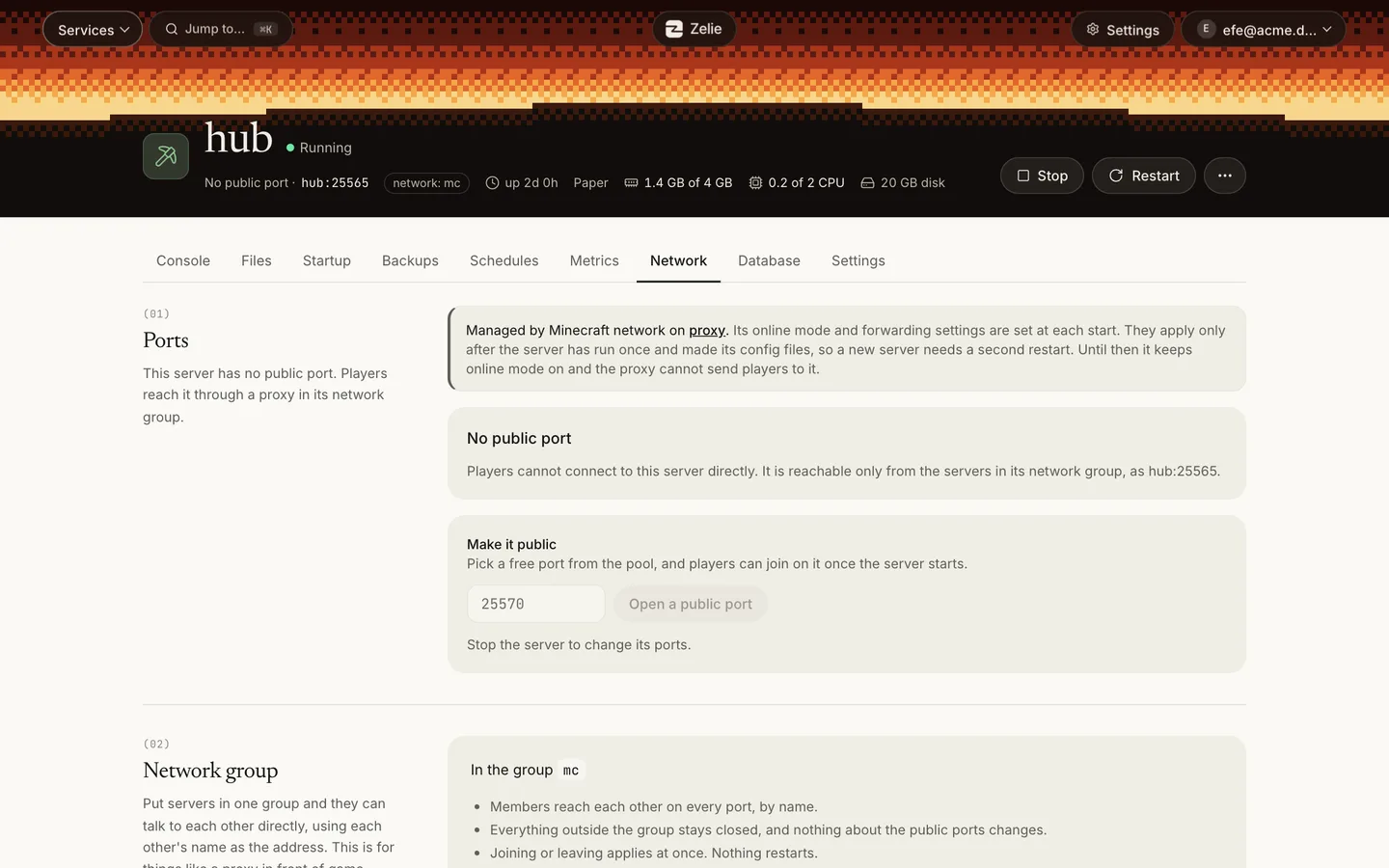
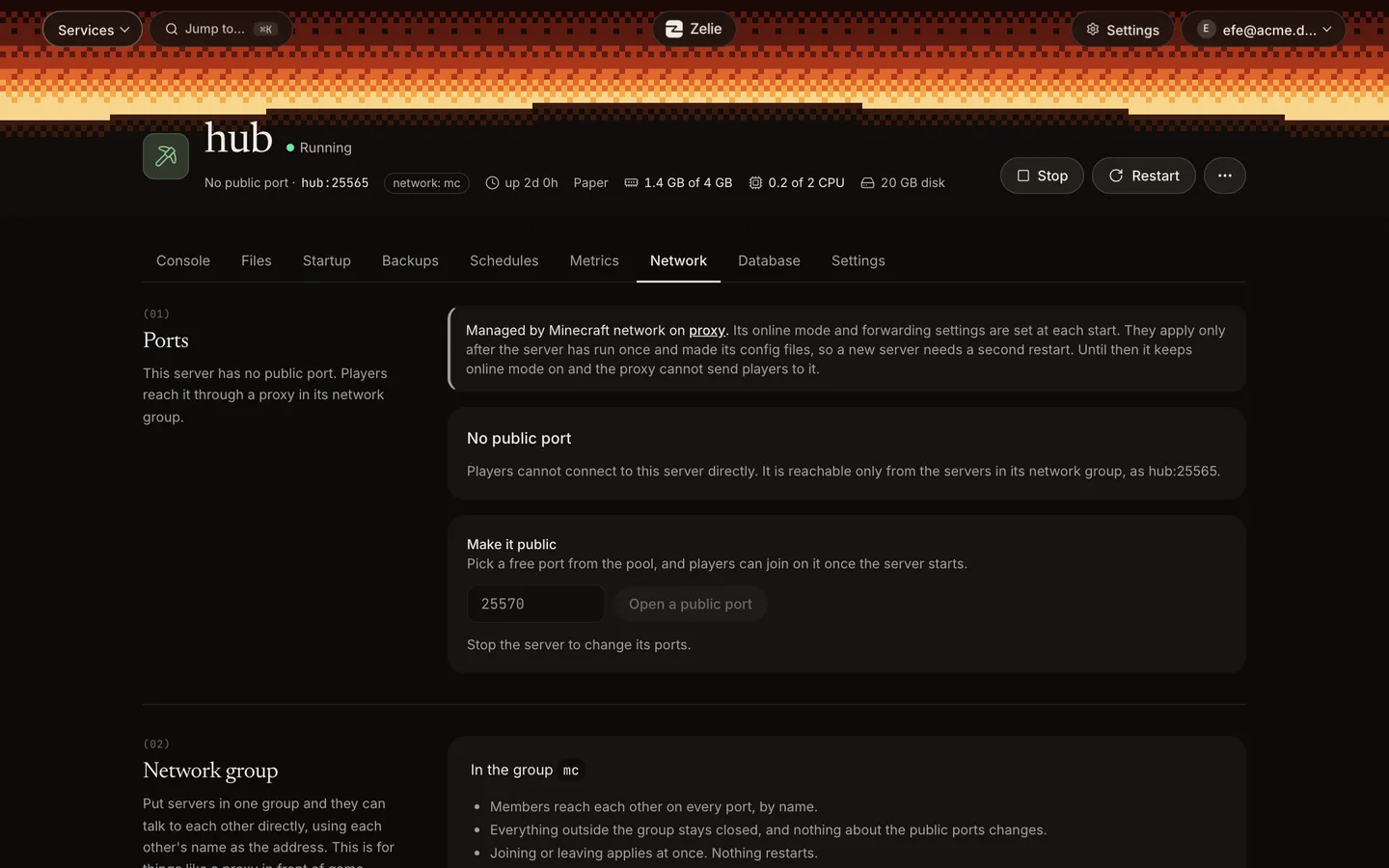
A Minecraft network is a Velocity proxy that players join, with Paper or Purpur servers behind it. Zelie runs all of them on your own Linux server and writes the forwarding settings and the shared secret at each start, so the files never drift apart. The servers behind the proxy need no public port.
Updated November 2026
How the network fits together
- The Velocity proxy
- The one server with a public port. Its address is the one players join.
- Paper or Purpur servers
- Made with No public port. Players reach them only through the proxy, which finds each one by its name, such as
hub:25565. - One network group
- The proxy and its servers reach each other on every port. Everything outside the group stays closed.
Velocity’s modern forwarding has to be set up on the proxy and on every server, with one shared secret. Zelie does that for you at each start.
Which servers can take part
The servers behind the proxy must be Paper or Purpur, because they read Velocity’s forwarding from a setting. Vanilla, Fabric, Forge, NeoForge and Bedrock cannot take part. A proxy can have up to 32 servers behind it.
Behind the proxy
- Paper
- Purpur
Setting it up
- 1Create a Velocity server with a public port. This is the address players join.
- 2Create the Paper or Purpur servers with No public port.
- 3Put all of them in one network group.
- 4On the proxy’s Network page, open Minecraft network and turn on Set up the network at each start.
- 5Choose the servers behind the proxy and mark the one players join first. If a server is down or kicks a player, the proxy tries the next one in the order shown.
- 6Press Save, then start each server once and restart it. The page lists the servers that still need a restart.
Why a second start: a server that has never started has no config files yet. The first start creates them and the next one applies the settings. Until then the server keeps online mode on, and the proxy cannot send players to it.
Only an administrator can change this, because it edits the files of several servers.
What Zelie writes at each start
On the proxy, in velocity.toml
- Modern player info forwarding, and the forwarding secret file.
- The
[servers]table, one line per chosen server with its address in the group, andtryin the order you set. - Forced hosts that name a server not in the list are removed, since Velocity will not start with them.
On each server behind it
- In
config/paper-global.yml, Velocity support is turned on, with the same secret. - In
server.properties, online mode is turned off, but only in the same start that turns Velocity forwarding on. A server never runs with online mode off and no secret in place.
Settings you did not touch stay as they are.
The forwarding secret
The secret is stored sealed and never shown. Zelie replaces it when a server is dropped from the network, and New secret replaces it by hand. Running servers keep the old secret until they restart, so players cannot join until all of them have restarted.
Taking a server out
A server that leaves the group, or is taken off the list, is no longer set up. Its files keep their last values, and the network gets a new secret.
Turning Set up the network at each start off only stops Zelie from changing the files. If a server gets a public port later, turn its online mode back on yourself.
Network groups, beyond Minecraft
Every app and game server in Zelie has a network of its own. A network group lets a few of them talk directly: a proxy and its servers, or a web app and the game server it reads from.
- Members use each other’s name as the address. Use the name, not an IP address, since a container’s address can change when it starts again.
- Joining or leaving applies at once. Nothing restarts, and the public ports do not change.
- Databases cannot join a group. Link a database to the apps that use it instead.
- Treat a group as one trust boundary: anyone who can use the console or files of one member can reach every other member.
Every step is in the docs: Minecraft network and Network groups.
Compared with Pterodactyl and Pelican
Game servers
Pterodactyl and Pelican eggs
- Zelie
- Yes14 games ready, any other by its link
- Pterodactyl
- Yes
- Pelican
- Yes
A game server without a public port
Minecraft proxy (Velocity) network, set up by the panel
- Zelie
- YesForwarding and its secret, written at each start
- Pterodactyl
- NoBungeeCord steps by hand
- Pelican
- NoNot built in
Security
- Yes
- Partly
- Planned
- No
The rest of the comparison is on the Pterodactyl alternative page.
The rest of the network, in the same panel
Each server keeps everything a Minecraft server gets in Zelie: a console, files, server.properties as a form, backups that pause world saving, and the Players tab. The network’s website, its database and its Discord bot can run on the same server, under the same login.
Questions
Does Zelie set up BungeeCord or Waterfall?
No. The network setup is for Velocity with modern forwarding. Another proxy’s egg can be imported by its link and run like any server, but Zelie does not write its config.
Can Fabric or Forge servers join the network?
Not through Zelie’s setup. The servers behind the proxy must be Paper or Purpur, which read Velocity’s forwarding from a setting.
How many servers can be behind one proxy?
Up to 32.
Why does a new server need a restart before players can join?
It has no config files until its first start. The next start applies the forwarding settings. Until then it keeps online mode on, and the proxy cannot send players to it.
Can I see the forwarding secret?
No. It is stored sealed and never shown. Press New secret to replace it, then restart the servers.
How do I get Zelie?
Free is open to everyone: make an account and install Zelie on a server of your own. Install Zelie shows the steps. Pro and Business, and what each costs, are on Pricing.
Install Zelie
Zelie is in early development, and Free is open to everyone: make an account and install it on a server of your own. Pro, for your own server too, is on sale now at €4.49 a month or €44.90 a year. Business, for those who sell hosting, follows.