EN, aún sin traducir
Zelie is young and changes often. Keep backups of what matters.
Light
Zelie is one binary. There is no PHP, no Composer, no separate daemon and no Docker: it talks to containerd directly. Its own processes use under 66 MB of memory when idle, and CI fails if that grows past the limit.
Updates itself
Zelie updates the panel, your app images and your databases. It installs Node security releases and dependency patches too. All of it happens in one round each night, which waits while a backup, build or deploy is running. Databases are backed up first.
Never down for an update
A new version starts beside the old one and takes over only after it passes its health check. Updating Zelie restarts only Zelie's own services, so apps, databases and game servers keep running.
Automatic updates must also stay up for 60 seconds, or the old version comes back. Databases are backed up before they change.
Closed by default
- The proxy, the panel and the SFTP server run as their own unprivileged users.
- The core runs as root but has no network port. It answers only on a Unix socket.
- Containers use user namespaces, so root inside is an unprivileged user on the host.
- Databases never get a public port.
- Secrets are sealed as they are saved. The panel cannot read them back.
- Every account signs in with a password and a passkey or an authenticator app. Changing a login method asks for a fresh second step.
zelie reset-loginon the server recovers a locked-out account.
Architecture has the details.
Apps
An app comes from GitHub, a container image or your own files.
GitHub. Zelie creates a GitHub App in your own account, with access only to the repositories you pick. Private repositories work. A push to the app's branch deploys it.
A container image. Any public image, such as nginx:1.27. Zelie checks the registry daily and offers the new image when the tag moves.
Your own files. Pick Node.js, Python, Bun, Deno or Java, then upload files or send them over SFTP. There is no build step and no rollback. This suits a Discord bot.
Every app has variables (plain or secret, or a pasted .env file), volumes with size limits, memory and CPU limits, live logs and metrics. Metrics are requests, server errors, memory, CPU and traffic, one reading a minute, kept for a day. An app that goes past its disk allowance, at least 5 GB, is stopped.
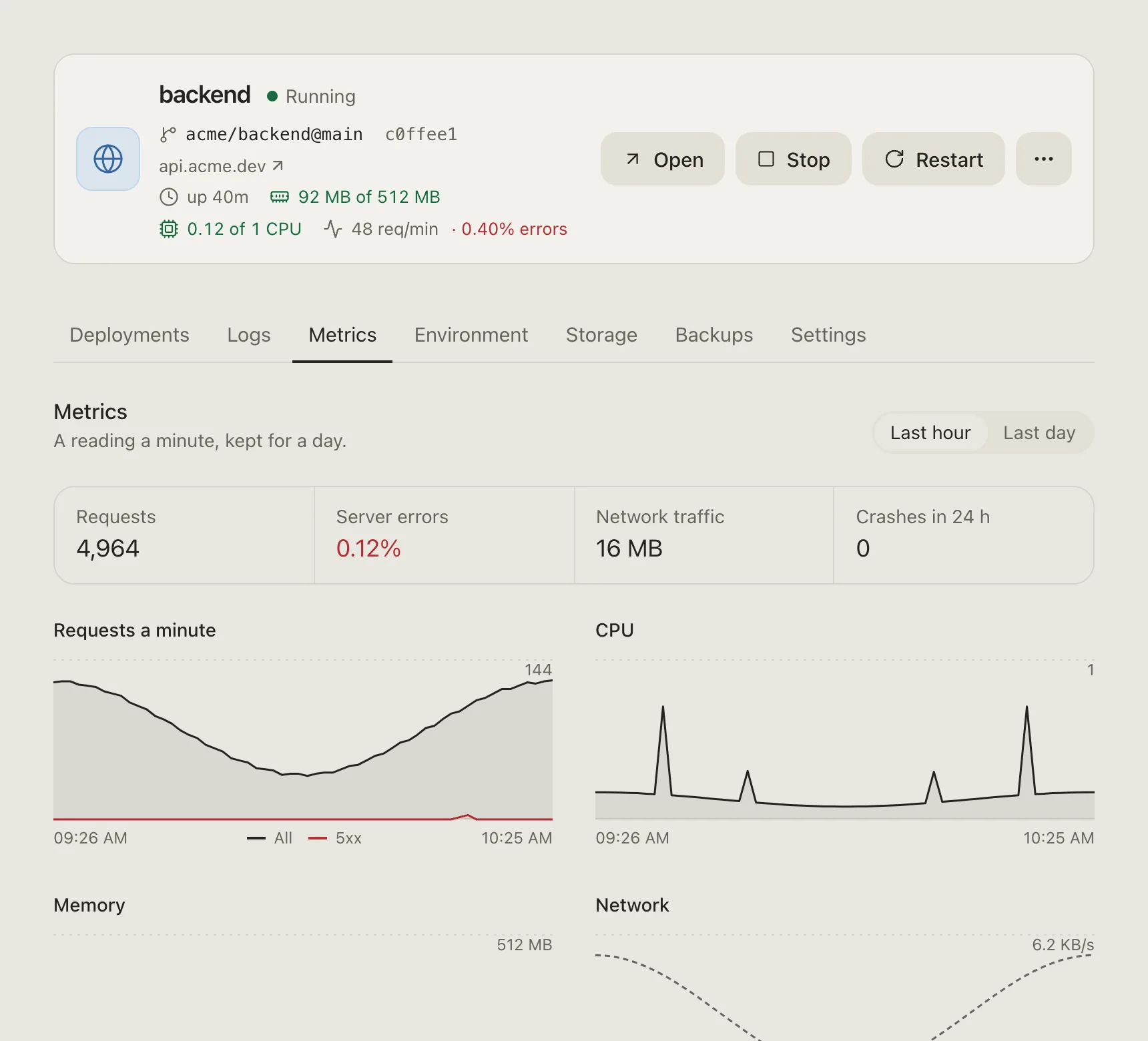
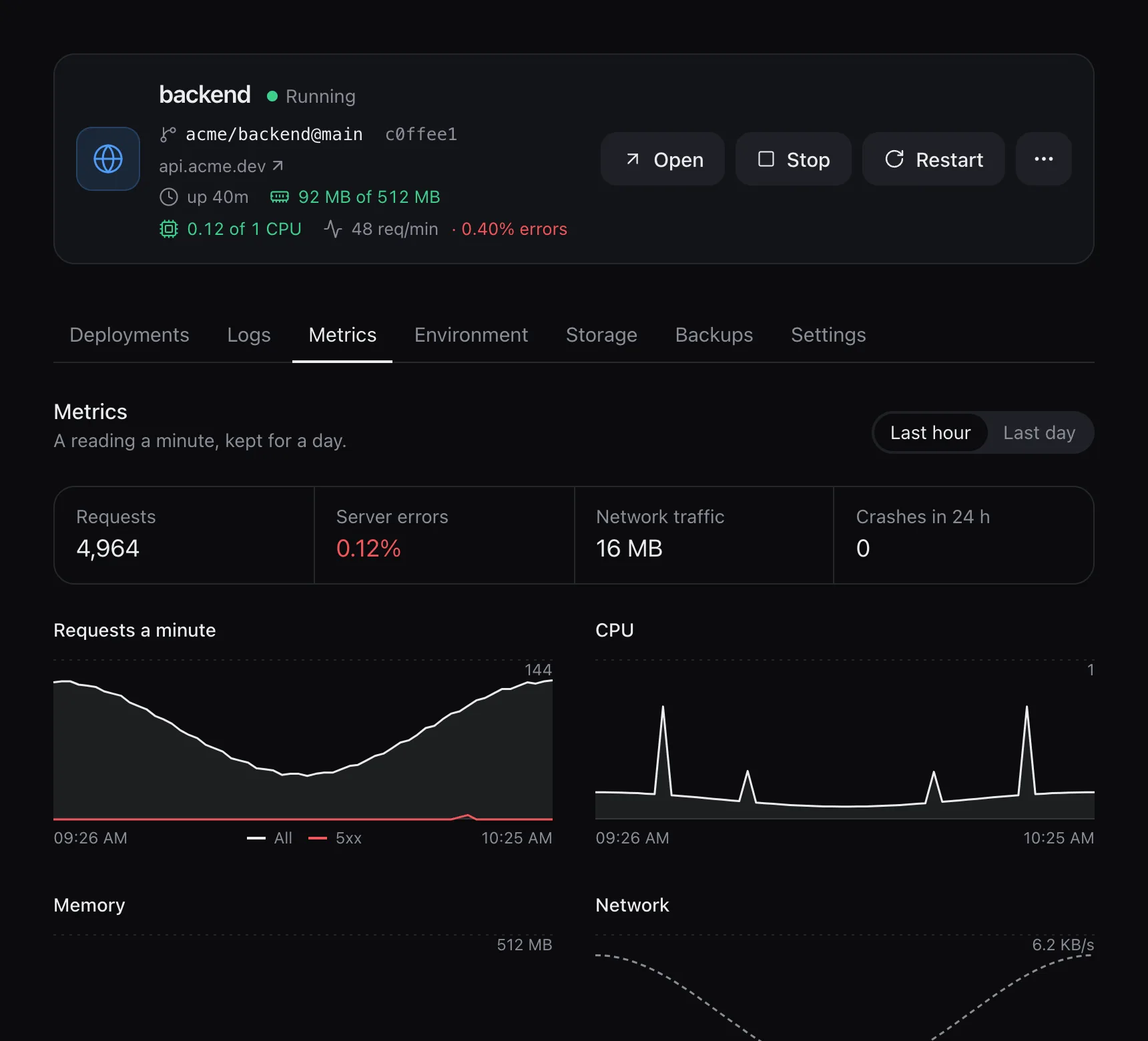
Builds and deployments
A repository with a Dockerfile is built with it. Without one, Railpack works out the build. If a Node project has a test script, it runs on each new build, with no network and no databases. A failing test keeps the old version. A build gets 2 GB of memory, separate from the app's own limit; a large project that runs out can be given more in its settings.
An app with a domain starts the new version next to the old one, and traffic moves after the health check passes. An app without a domain, or with volumes, stops the old version first, so two copies never run at once. If the new one fails, the old one comes back.
The last five live versions keep their image, so a rollback takes a second or two. Images unused for a week are deleted. A crashing app is restarted with a growing delay. After five crashes in ten minutes it stays down and the panel says why.
Game servers
Game servers run from Pterodactyl and Pelican eggs. The list comes from Pelican's egg repositories, and CI checks every entry. It includes Minecraft (Paper, Fabric, Forge and more), Rust, Valheim, Palworld, ARK: Survival Ascended, Counter-Strike 2 and Garry's Mod. Any other egg can be imported by its link.
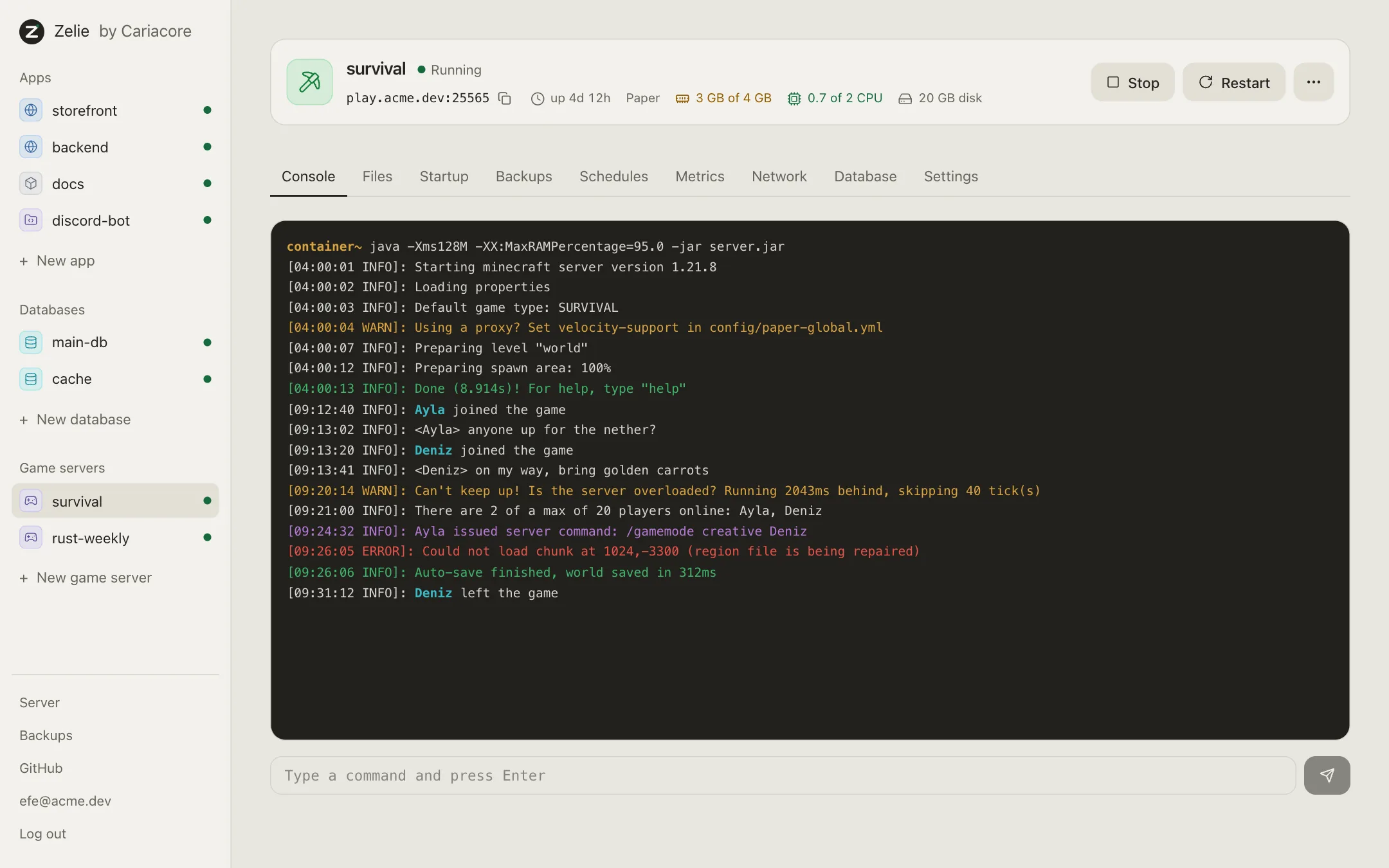
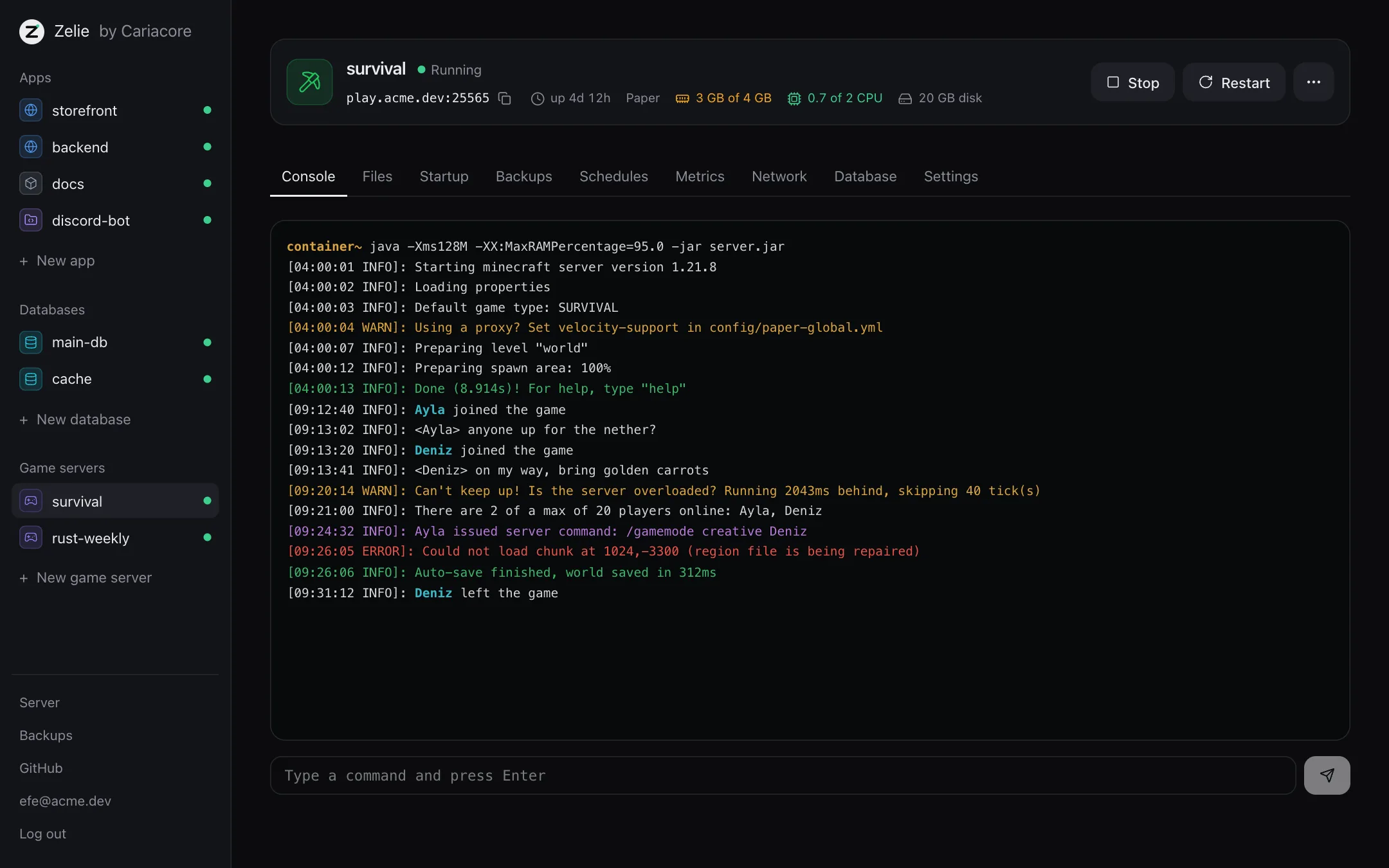
- Console and files. Live output, a command line, power buttons, and a file manager with an editor. When a server crashes, Zelie reads its last lines and says why.
- Ports. You set up a pool of ports once. Each server picks its game, query, RCON or Rust+ port from it.
- Schedules. Cron times, each running console commands, power actions or backups.
- Steam updates. Zelie asks Steam hourly whether a server is behind, and can update it when nobody is playing.
- Clone. A new, stopped server with the same egg, settings and files, and new ports.
- Network. A server can be made with no public port, and put in a network group with the servers that should reach it. A Velocity proxy can set up its Minecraft network.
Minecraft runs end to end in Zelie's tests on every change. Rust and the Steam update check have only run against stand-ins.
SFTP
One SFTP server covers all game servers and files apps, on port 2222 unless you choose another. The login name is the server's name. Use an SSH key added in Settings, under Security, or a password made for that one server and shown once. An account's own password never works. A login reaches that server's files and nothing else.
SFTP can be turned off with --no-sftp at install, or in Settings, under Game servers.
Players
The Players tab works for Rust and Minecraft servers, and as a plain list for some other Steam games.
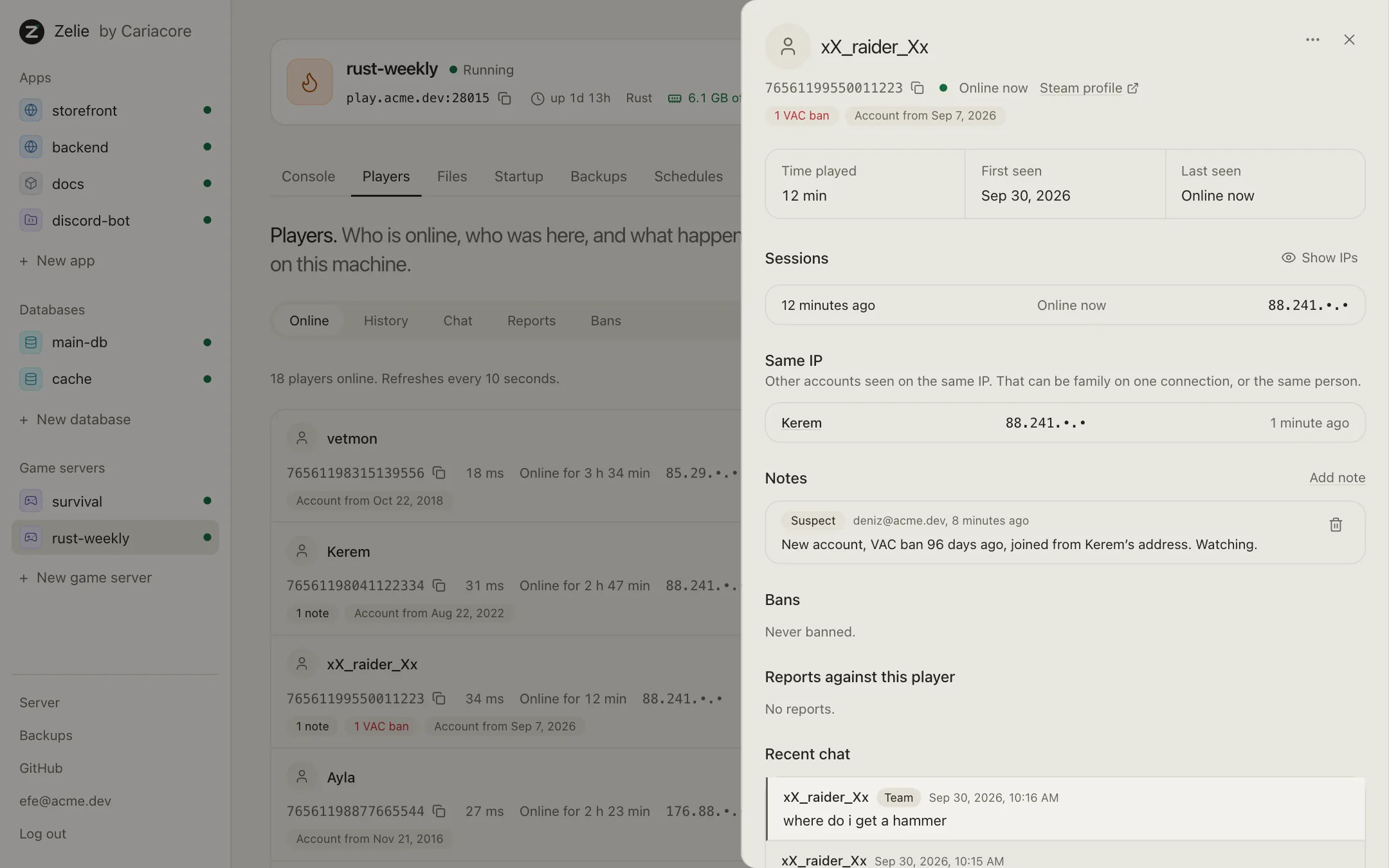
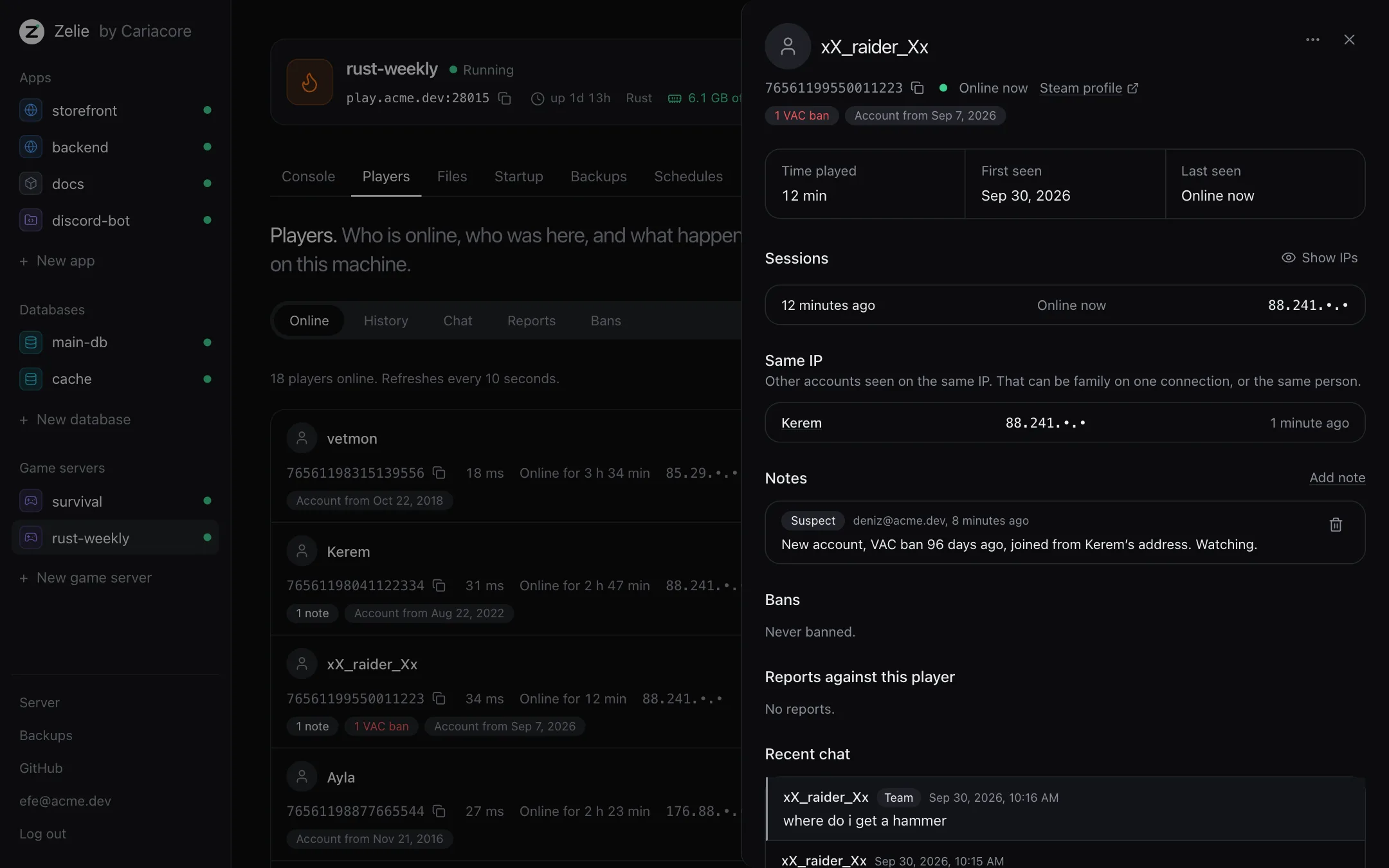
It shows who is online and keeps visits for 30 days. Accounts seen on the same address are listed together. Chat is kept for 7 days and is searchable. You can kick and ban, with a reason and an optional end. Minecraft's whitelist, operators and IP bans, and Rust's owners and moderators, can be changed whether the server is running or stopped. On Rust, the Permissions tab manages Oxide and Carbon groups, permissions and plugins. With a free Steam Web API key (Settings, under Game servers), it also shows VAC and game bans.
Databases
PostgreSQL 18 and 17, MariaDB 11.8 and 10.11, and Redis 8 each run in their own container with their own volume.
- Linking. A linked app or game server reaches the database by name and gets
DATABASE_URLorREDIS_URL. - Major versions. PostgreSQL 17 to 18, for example, is dumped and loaded into a new volume. If anything fails, the old one stays. It remains until you delete it.
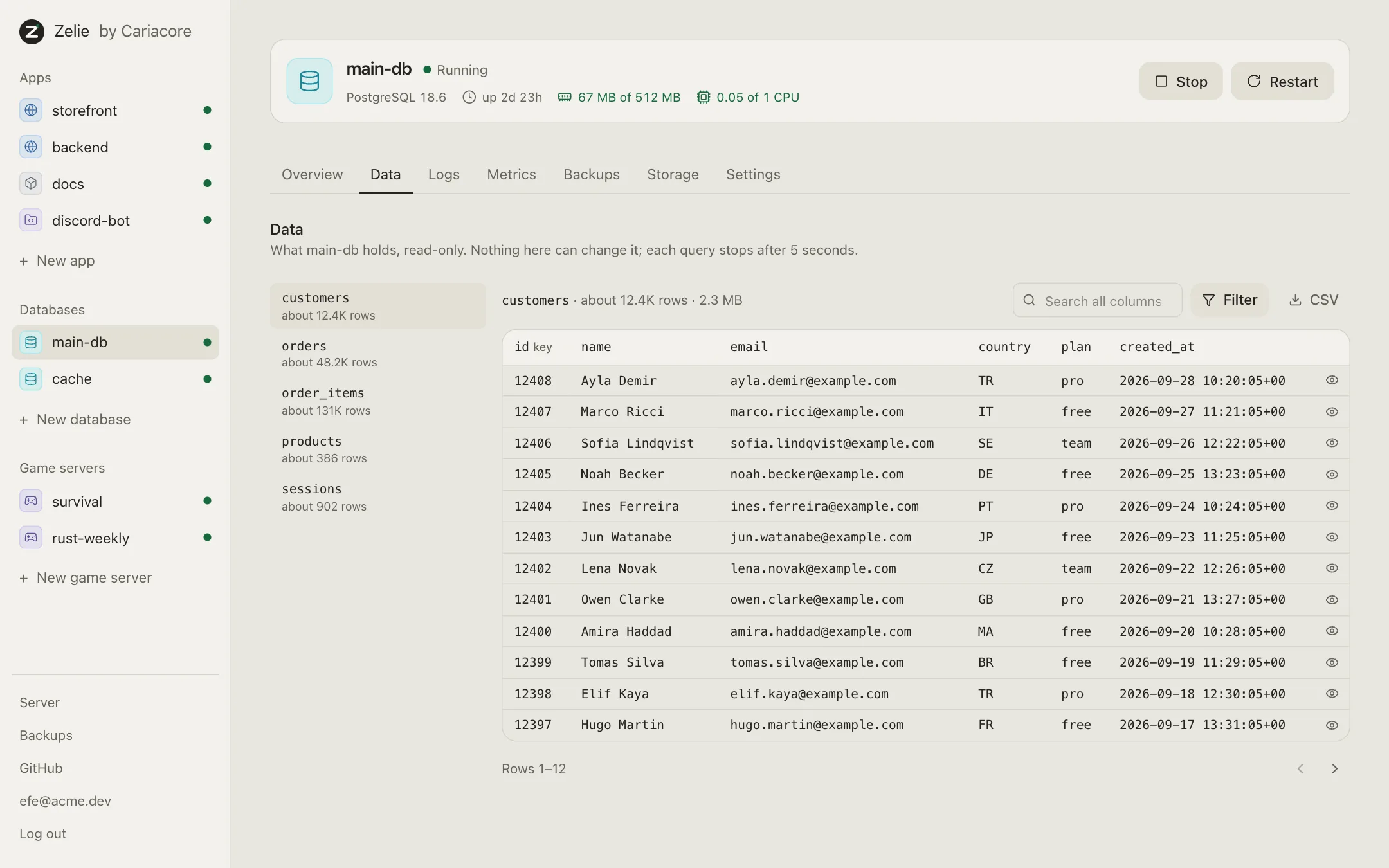
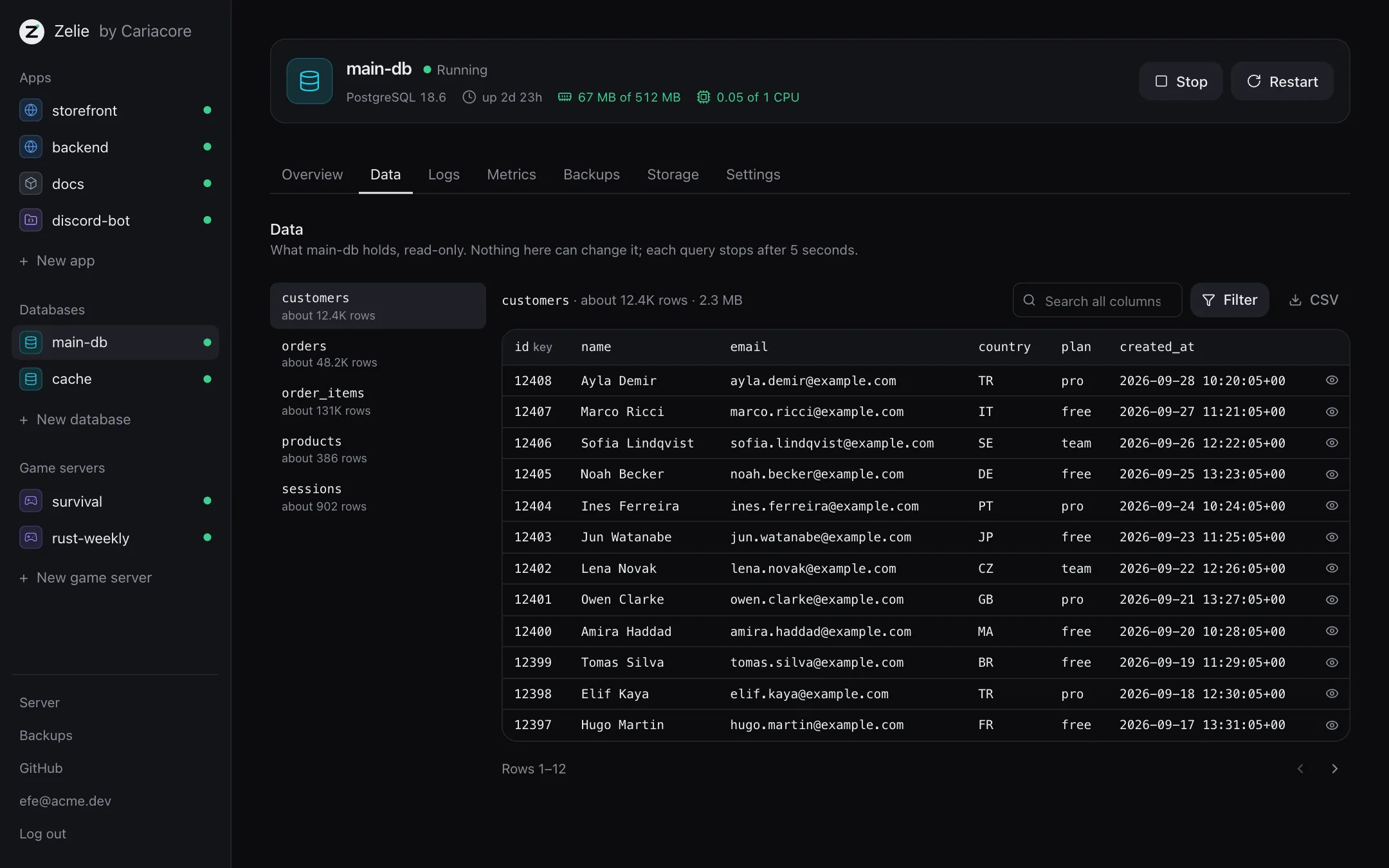
- Data tab. Tables, rows, search, sorting and CSV export, and keys and values for Redis. It is read-only. TablePlus or DBeaver can connect through an SSH tunnel.
- A MariaDB on the host. An administrator can let one app reach a MariaDB installed on the server. It is off by default and opens only port 3306.
Backups
Databases are backed up every night at 3:00 and kept for seven days, unless you change it. Apps and game servers can be backed up on a schedule. Minecraft saves the world first.
Backups are compressed and encrypted on the server. A recovery file lets another server open them. Copies can go to any S3-compatible storage, kept for 30 days by default. A new server can find them there and restore them. A restore first backs up what is there.
You can upload a dump (.sql, .sql.gz or a Redis .rdb) to restore a database.
Domains and HTTPS
With a domain install, Zelie gets Let's Encrypt certificates for the panel and each app. Behind a Cloudflare Tunnel, Cloudflare handles HTTPS. Let's Encrypt has so far run against a stand-in only.
Nightly updates
The round starts at 04:30 by the server's clock, unless you set another time. It also waits while a systemd service you list is running, such as a full machine backup. The order is:
- Zelie's own patch release.
- Node security releases. Railpack holds a new Node release back for 14 days. Zelie takes a security release at once.
- Image and database patches, which are new builds of version tags such as
postgres:18. - Package security fixes.
Major versions, such as Node 22 to 24, wait for your approval.
For npm, pnpm and Yarn 1 projects, Zelie looks up known vulnerabilities in OSV. If the fix stays in the same major version, it updates the lockfile on a separate branch, then builds and tests it. If that passes, it merges and deploys. Otherwise it opens a pull request. Write access comes from a separate GitHub App.
Each kind of update can be switched off. Settings, under Updates, lists past nights.
License
Settings, under License, shows the plan this server runs, whether it is in force, when it is valid until and when it last renewed. To link the server to a Caria Core account, press Link, then open the page it shows and enter the code. Once linked, Zelie renews the license every day, and the server updates without a download key. A license lasts a week without a renewal, so a short outage changes nothing. Without a valid license the server runs as Free, and what is running keeps running. Disconnect ends the link. A server that is not linked can still update with a download key, which is added on the same page.
The limits shown there are enforced by the core, not only by the panel. Free allows 3 game servers, 3 apps and 3 databases. The core refuses to start a container that does not belong to one of them, and the New buttons go off when a kind is full.
A server can end up with more than its license allows, for example when a license runs out. Nothing is deleted. You choose which ones stay active, under License; if you choose nothing, the oldest stay. The others become read-only: one that is running keeps running, but it cannot be started again, restarted, changed or updated, and its files cannot be written. Its backups can still be made, downloaded and deleted, and it can be stopped or deleted, which makes room. With a license that has no limit, nothing is read-only.
Interface
There are five themes: Night (the default), Graphite, Ink, Ash and the light Paper. Your choice is saved to the account. Settings has the sections General, License, Updates, Backups, GitHub, Game servers, Appearance, Security and Users. English is the only language so far.
Users
Invite someone with a link and choose what they may do on each service, one permission at a time or from the viewer, moderator or administrator templates. Nobody can hand out more than they hold, and a service someone was not given does not show up for them. The license, updates, ports and keys stay with the owners. Settings, under Users, shows the accounts, the invites still waiting and what each account did.
Not yet
- Several servers managed from one panel.